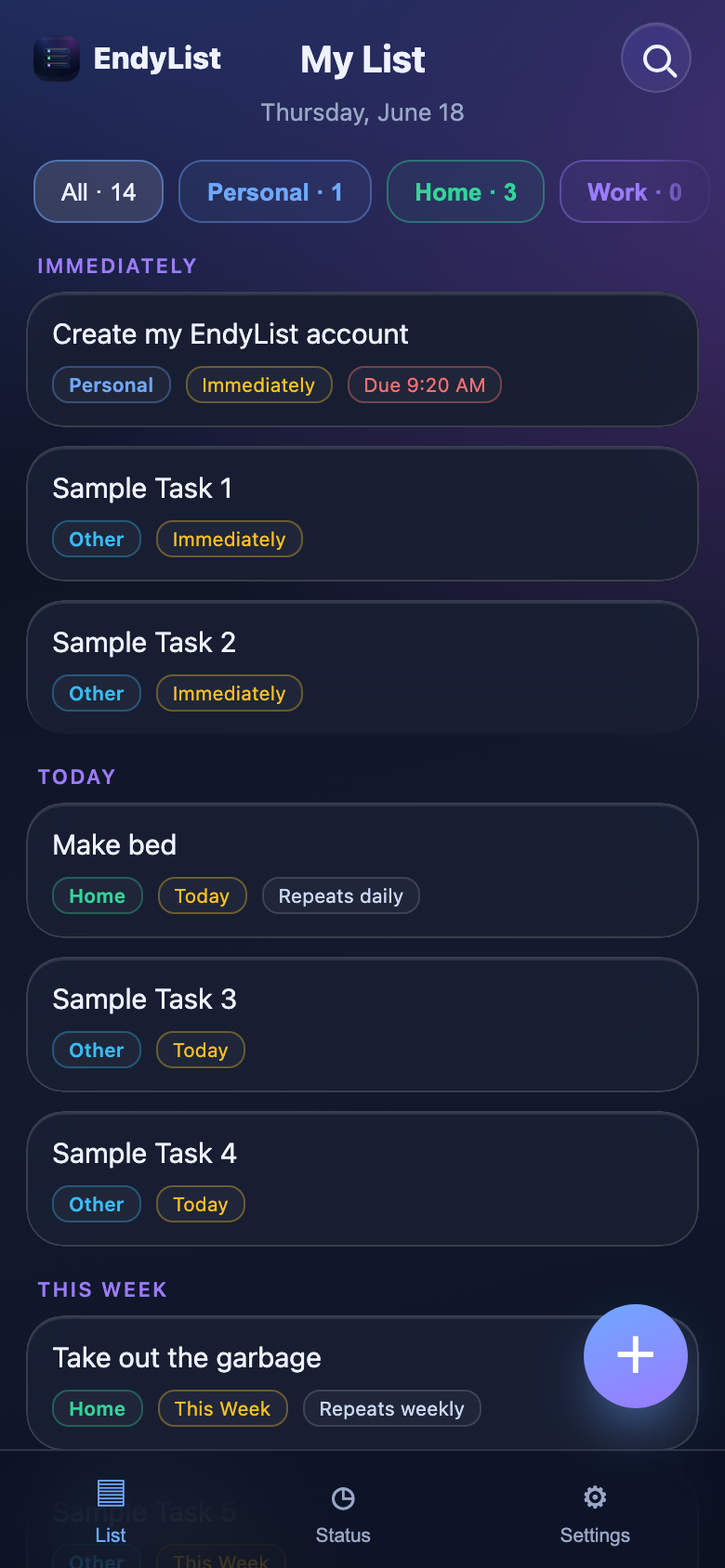

Your priority list, ready for your phone.
EndyList
Capture tasks, sort what matters, and keep the rest out of your head. EndyList is a focused PWA you can open in the browser or install on your Android or iPhone.
Prioritize fast
Move the next thing to the top without rebuilding your whole list.
Capture context
Add notes, categories, due dates, and time hints when they help.
Use it anywhere
Open it from the web or save it to your Android or iPhone home screen.
Sync by choice
Local-first by default, with sign-in sync available when you want it.
Decide what gets your attention.
Most to-do lists collect everything and make you negotiate with it every time you look. EndyList is built around a smaller question: what should be handled now, what can wait, and what should stop taking space today?
Plan the next useful step
Today
Keep a low-pressure someday list
Later
Archive finished or stale tasks
Done
Feels like an app because it is one.
EndyList is a progressive web app. On Android or iPhone, it can live on your home screen, open full screen, and keep the fast single-purpose feel of a small native app.
- Open EndyList in Chrome on Android or Safari on your iPhone.
- Tap Share, then choose Add to Home Screen.
- Launch it from the icon whenever you want the list.
Private first. Sync when it helps.
You can use EndyList in one browser without creating an account. When you are signed in on the site, the app can use the WordPress-backed sync layer we just connected.
Local by default
Your first list starts in the browser, which keeps the app simple and fast.
WordPress sign-in support
The live site can issue the session details the app needs for saved task sync.
Ready for Phase 1
The app path, manifest, service worker, and API routes are separated from this homepage.
Start with the next task.
Open the live app, add one thing, and move it until the list matches how your day actually feels.